The visibility problem
Why visual management matters in development
In development, most of the real problems are invisible: unclear decisions, hidden queues, unspoken risks, and knowledge that lives in individual slide decks or inboxes. Teams spend large amounts of time trying to reconstruct what is happening rather than actually improving it.
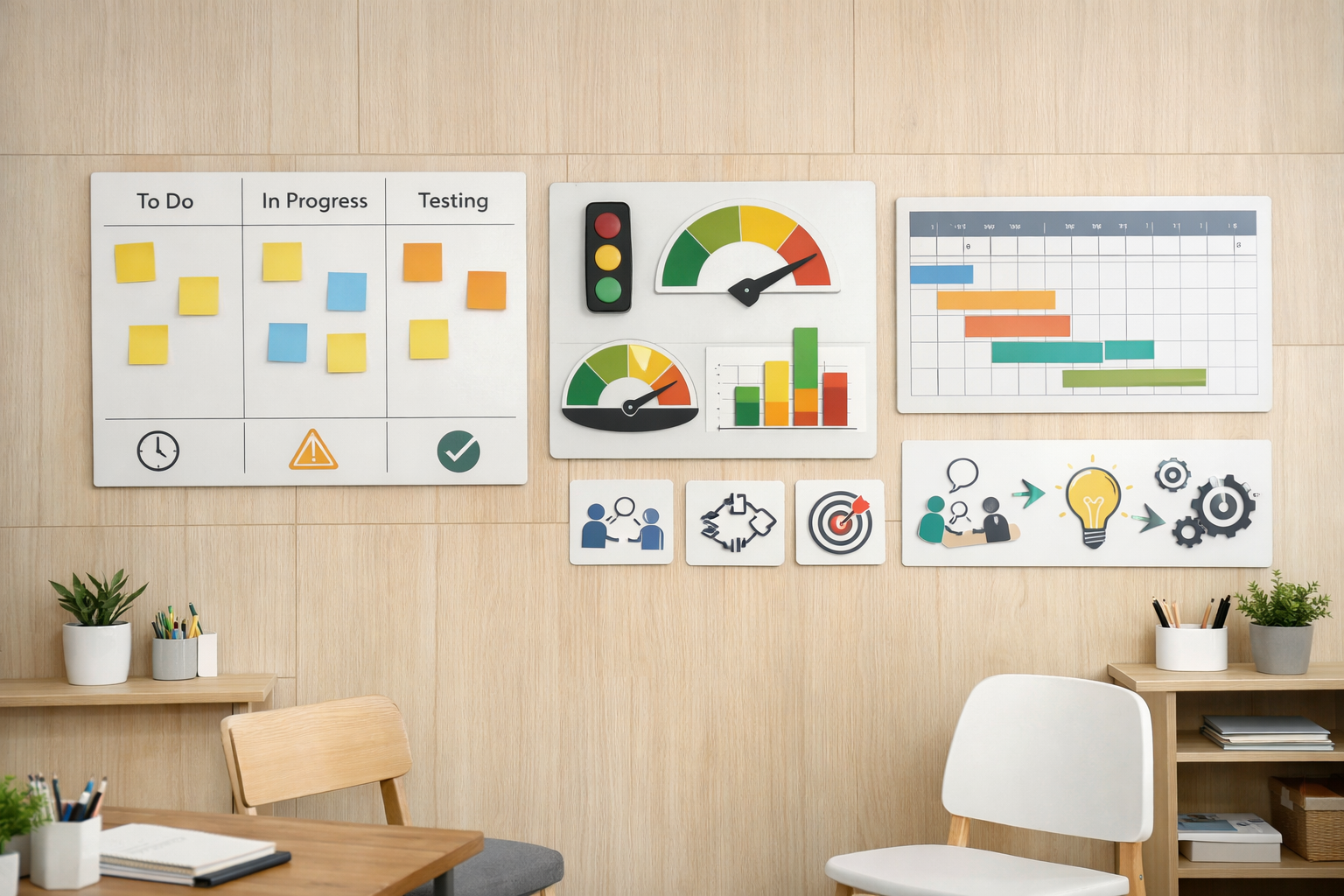
Visual management changes this by bringing the most important information into one shared view. Instead of hunting for updates across tools and documents, teams can stand in front of a board or wall and see what they are trying to achieve, what they are working on now, where work is stuck, and what decisions and help are needed.
Done well, this reduces status noise, improves flow, and gives leaders and teams a shared picture of reality to work from. The problem is not that development teams lack data — they usually have too much. The problem is that the most important signals are scattered, delayed, and buried in formats that are hard to act on. Visibility means having the right information in the right place at the right time.
“The problem is not that development teams lack data. The problem is that the most important signals are scattered, delayed, and buried in formats that are hard to act on.”
A working definition
What we mean by visual management
Visual management means representing vital information in a simple, accessible way where work happens. We already rely on this in everyday life: speed limit signs, traffic lights, and dashboards in cars all help us act quickly without reading long explanations.
In development, visual management boards play a similar role. They might show knowledge gaps and experiments in the current learning cycle, key decisions, options, and risks for a major concept, the flow of work across a value stream or team, or customer signals and outcomes that matter right now.
The purpose is not to create impressive dashboards. The purpose is to help teams run the work: plan, coordinate, experiment, decide, and improve. A board that no one looks at during actual work is not visual management — it is decoration with extra steps.
Principles of good board design
Designing useful boards, not dashboards
Useful boards share a few traits that separate them from the reporting tools that visual management often gets confused with.
They are simple. They focus on a small set of signals that truly matter for the team’s current goals. Colour codes — green, yellow, red — can help teams see health at a glance, but only when applied consistently and kept honest. If everything is amber, nothing is.
They are purposeful. Each board should have a clear job: for example, “show the state of experiments in this learning cycle” or “show the flow of work and where we are blocked.” A board that tries to show everything usually helps no one.
They are owned by the people who use them. Teams should update and evolve their own boards rather than having them maintained for someone else’s reporting needs. When the people doing the work own the visuals, boards become tools for thinking, not just for summarising.
They are used in routines. Board design and meeting rhythm go together. Daily or weekly check-ins should happen in front of the board, using it as the agenda. A board that is updated but never discussed is only half-useful.
“When the people doing the work own the visuals, boards become tools for thinking, not just for reporting.”
What makes it stick
Success factors for visual management
A few conditions make visual management much more effective than the boards that teams set up and then quietly abandon.
Constant flow of information. Boards are most useful when they reflect current reality, not last month’s plan. Frequent updates and tight feedback loops from customers, experiments, and operations keep them alive. A board updated weekly during a daily-cadence project is already out of date.
Cross-functional participation. When boards reflect an entire value stream — design, manufacturing, quality, supply chain, service — they help break down silos. Cross-functional teams can see how their work interacts rather than optimising in isolation. This is the core idea behind obeya: a single shared space where the full picture lives.
Shared objectives. Boards should highlight shared outcomes, not just local metrics. This encourages collaboration and makes trade-offs explicit. When each function optimises its own column, the board reveals local performance but hides systemic problems.
Organisational willingness to act. Visuals become powerful only when the organisation is willing to respond to what they show: move people, re-sequence work, or revisit decisions when reality diverges from the plan. A board that surfaces problems no one is allowed to address creates frustration rather than improvement.
Reading the health signals
How to know your board is working
You can tell visual management is working when boards are clearly helping the work, not just describing it. The signs are practical and observable.
- Team members use it without being prompted. It is the natural reference point for standups and discussions, not an obligation they fulfil before returning to their real tools.
- It drives conversations. Daily or weekly standups happen in front of it, and discussions are anchored in what the board actually shows — not in slides prepared beforehand.
- It attracts interest. People from other teams or leaders stop, look, and can quickly understand what is going on without needing a guided tour.
- Leaders are proud to show it. They use it to explain how the team works, not just to justify results to stakeholders.
- It passes a hallway test. Someone new can walk past, look at it for a minute, and understand what the team is trying to achieve and where they are stuck.
- It looks clear and considered. The board is visually tidy enough that people are not exhausted by looking at it.
When boards do not have these properties, it is usually better to simplify them, change what they show, or align them more tightly with real decision-making — rather than trying to improve the board as a visual object.
The Lean PPD connection
Visual management in Lean Product Development
In Lean Product & Process Development, visual management supports several key practices across the system.
Design & Flow. Boards and obeya rooms make the development value stream visible: key bets, options, experiments, integration events, and queues. The obeya is not a meeting room with slides — it is a living display of what the team knows, what it needs to learn, and how the programme is progressing against its critical path of knowledge.
Validate & Learn. Experiment boards show hypotheses, tests, signals, and decisions for learning cycles. This means that reviews can focus on knowledge and decisions rather than status updates. When learning is made visible, leaders can ask better questions and teams can have more honest conversations about what is working.
Culture & Leadership. Leaders use boards to model transparency and learning: asking what we are trying to achieve, where we are stuck, and what we have learned — not just whether we are “on track.” The way a leader behaves in front of a board shapes the team’s willingness to be honest about problems.
The core idea is simple: if you want better decisions and smoother flow, make the right information easy to see, discuss, and act on. Visual management is not a tool category — it is a discipline of making work legible enough that the team can improve it.
“The obeya is not a meeting room with slides. It is a living display of what the team knows, what it needs to learn, and how the programme is moving against its critical path of knowledge.”
Next steps
Put this into practice
Start with one visual management board for a real piece of work rather than trying to standardise everything at once. Choose a critical project, value stream, or learning cycle and design a board that shows the goals and key questions, makes the flow of work and experiments visible, and highlights where decisions or help are needed. Run your daily or weekly check-ins in front of that board for a few weeks and adjust it based on what actually helps the team work better.
Chapter 5
Design & Flow
Set-based design, development value streams, and obeya practices for cross-functional alignment.
Chapter 6
Validate & Learn
Experiments, prototyping ladders, and knowledge-based milestones — what visual boards need to show.
Resource Guide
What Are Lean Learning Cycles?
Short, focused loops that generate the experiment signals your visual boards should display.